martes, 10 de noviembre de 2015

LED is my new Hello World - Kotlin Time

Yep...I'm aware that there must be a lot of more efficient and short ways to do this...but then again...my purpose with this is to have the same base code for all the programming languages that I learn...

Usually I write this code after a couple of days of learning the language...so in no way I can be aware of all the crazy and optimized features...

This code is just for fun and for me...a really good way to introduce the syntax of a language in a very friendly way...

So...here's is Kotlin -:)

LEDNumbers.kt
package LEDNumbers

fun main(args: Array<String>) {
 if (args.size == 0) {
      println("Please provide a number...")
      return
    }
    val NumList:List<String> = args[0].split("")
 val Leds = mapOf("0" to listOf(" _  ", "| | ", "|_| "), 
                  "1" to listOf("  ", "| ", "| "),
                  "2" to listOf(" _  "," _| ","|_  "),
                  "3" to listOf("_  ","_| ","_| "),
                  "4" to listOf("    ","|_| ","  | "),
                  "5" to listOf(" _  ","|_  "," _| "),
                  "6" to listOf(" _  ","|_  ","|_| "),
                  "7" to listOf("_   "," |  "," |  "),
                  "8" to listOf(" _  ","|_| ","|_| "),
                  "9" to listOf(" _  ","|_| "," _| "))
 for(i in 0..2){
  for(j in 1..NumList.size - 2){
   print(Leds[NumList[j]]!![i])
  }
  print("\n")
 }                 
}

The result will like this -;)


Greetings,

Blag.
Development Culture.

My first post on Kotlin

As always...I was looking for another programming language to learn...I was thinking about Scala or Rust...but then I got this comment on Twitter -;)


So sure...why not Kotlin? -:)

So what's Kotlin all about? Well...Kotlin is a Statically typed programming language for the JVM, Android and the browser. It's also 100% interoperable with Java.

While this is not a mind bending language...meaning that you can get used to it pretty fast...it has some nice and cool feature that are worthy to explore...

As always...being this my first post...here's the Fibonacci list example...

fibonacci.kt
package Fibonacci

fun fib(num: Int, a: Int, b: Int): String {
 var result: String = ""
 if(a > 0 && num > 1) {
  result = result + (a+b) + " " + fib(num-1,a+b,a)
 }else if (a == 0) {
  result = a.toString() + " " + b + " " + (a+b) + " " + fib(num-1,a+b,b)
 }
 return result
}

fun main(args: Array<String>) {
 if (args.size == 0) {
      println("Please provide a number...")
      return
    }
   val num: Int = args[0].toInt()
   println(fib(num,0,1))
}

And the screenshot for sure -:)


Will post the LED_Numbers app really soon...so stay tuned -;)

Greetings,

Blag.
Development Culture.

lunes, 9 de noviembre de 2015

Getting functional with SAP HANA and Erlang

This post was originally posted on Getting functional with SAP HANA and Erlang.


Erlang is a general-purpose concurrent, garbage-collected programming language and runtime system. And it’s also Functional, with eager evaluation, single assignment and dynamic typing. Did I forget to mention that it’s also distributed, concurrent and fault-tolerant.


Big description, huh? Well…Erlang has been around for the almost past 30 years…


So…no example or demonstration would be complete if we didn’t hook it up with SAP HANA, right? So…let’s go and do it -;)

First, we need to create a Calculation View and call it “FLIGHTS_BY_CARRIER”. It will be composed of two tables, SCARR and SFLIGHT.

First, we need to create a Join object and link the table by MANDT and CARRID. From here select the following fields as output MANDT, CARRID, CARRNAME, PRICE and CURRENCY.

Then create an Aggregation object selecting the fields CARRNAME, PRICE (As Aggregated Column) and CURRENCY. Filter the CURRENCY field by ‘USD’.

Then create a Projection object and select only PRICE and CARRNAME.

On the Semantics object make sure to select “CROSS CLIENT” as the Default Client.


Now, switch to the SAP HANA Development View and create a new repository. Call it “Flights”.

Create a new “XS Engine” project and call it “Flights” as well. Link it to the “Flights” repository.

Create an empty “.xsapp” file.

Create a file called “.xsaccess” with the following code.

.xsaccess
{
          "exposed" : true,
          "authentication" : [ { "method" : "Basic" } ]
}

Finally create a file called “flights.xsodata” with the following code

flights.xodata
service {
          "Blag/FLIGHTS_BY_CARRIER.calculationview" as "FLIGHTS" keys 
                                                        generate local "Id";
}

Activate your project and launch it on your browser, you should see something like this…


The SAP HANA part is done…so we can move into the Erlang part…

Erlang, as opposed to many other languages, doesn’t have a Package Manager, so we need to only download the package that we want and compile it -;)

To code for Erlang I use one of the most awesome editors I have ever found…Geany. It comes almost pre-configured to handle a lot of programming languages, so you will be ready to code for Erlang.

We need to download mochijson2.erl and save it on our project folder, then we can simply compile it by calling

erlc mochijson2.erl

From the terminal or press the “Compile the current file” button. First one on the image.


With that, we should be more than ready to start coding -:) Copy and paste the following code…

Erlang_HANA.erl
-module(erlang_HANA).
-export([getOData/0,showInfo/5]).

showInfo(Carriers, Prices, Acc, Len, Ctr) when Ctr =< Len ->
 showInfo(Carriers, Prices,  Acc ++ [binary_to_list(lists:nth(Ctr,Carriers))] ++ [": "] ++
   [binary_to_list(lists:nth(Ctr,Prices))] ++ ["\n"], Len, Ctr + 1);
showInfo(_, _, Acc, Len, Ctr) when Ctr > Len ->
 io:format("~s",[Acc]).
 
getOData() ->
 inets:start(),
 Response = httpc:request(get, {"http://54.65.196.224:8000/Flights/flights.xsodata/FLIGHTS?$format=json", 
                          [{"Authorization", "Basic " ++ base64:encode_to_string("SYSTEM:Blag1977")}]}, [], []),
 Flights = mochijson2:decode(response_body(Response)),
 {struct, JsonData} = Flights,
 {struct, D} = proplists:get_value(<<"d">>, JsonData),
 Results = proplists:get_value(<<"results">>, D),
 Carriers = [proplists:get_value(<<"CARRNAME">>, S) || {struct, S} <- Results],
 Prices = [proplists:get_value(<<"PRICE">>, S) || {struct, S} <- Results],
 showInfo(Carriers, Prices, "", length(Carriers), 1).

response_body({ok, { _, _, Body}}) -> Body.

Save your file and press the “Run or view the current file” button. The last one from the image that displays two engines.


You will need to use the format “name_of_file:method()” to load it into memory and execute it -;)

Greetings,

Blag.
Development Culture.

viernes, 6 de noviembre de 2015

SCN Vanity App

This post was originally posted on SCN Vanity App.


This one goes out to my friend and colleague Aaron Williams who gave the idea for this -;)

For this one, we're going to use Python and some nice libraries...

Libraries
pip install pandas #For Data Analysis and Data Frames
pip install mechanize #Headless Web Browser
pip install beatifulsoup4 #For Web Scrapping

Of course...we're going to use some Regular Expressions as well...but that's already included in Python :)

So, the basic idea is that we need to log into SCN using our Username and Password and then read the first page of our "content" folder only for blog posts...then we can continue reading the following pages by using a parameter that will load the next 20 blogs...

Now...and before you say something -:P This works (at least for me) only for the first 10 pages...because after that the HTML seems to be automatically generated...so there's nothing to get more data from -:( or maybe my blogs come from a long time ago...my first blog ever on SCN was written on February 17, 2006 Tasting the mix of PHP and SAP...

Anyway...let's see the source code -:D


SCN_Vanity_App.py
#coding= utf8

USR = 'YourUser'
PWD = 'YourPassword'

import sys
import re
import mechanize
from BeautifulSoup import BeautifulSoup
import pandas as pd

reload(sys)
sys.setdefaultencoding("iso-8859-1")

cookies = mechanize.CookieJar()
br = mechanize.Browser()
br.set_cookiejar(cookies)
br.set_handle_robots(False)

res = br.open("http://scn.sap.com/login.jspa")

br.select_form(nr=0)
br["j_username"] = USR
br["j_password"] = PWD
br.submit()

br.select_form(nr=0)
res = br.submit()

result = res.read()

author = re.search("username: \'.*",result)
author = re.sub('username: \'|\'|\,','',author.group(0))
displayname = re.search("displayName: \'.*",result)
displayname = re.sub('displayName: \'|\'|\,','',displayname.group(0))

j = 0
df = pd.DataFrame()

while(1==1):
 try:
  link = "http://scn.sap.com/people/%s/content?filterID="\
         "contentstatus[published]~objecttype~objecttype[blogpost]" %(author)
  
  if(j>0):
   link = "http://scn.sap.com/people/%s/content?filterID="\
   "contentstatus[published]~objecttype~objecttype[blogpost]&start=%j" %(author,str(j))
  
  j += 20
   
  res = br.open(link)

  Titles = []
  Likes = []
  Bookmarks = []
  Comments = []
  Views = []

  soup = BeautifulSoup(res.read()) 
  list_items = [list_item for list_item in soup.findAll('td',{'class':'j-td-title'})]
  if(len(list_items) == 0):
   break;
  for i in range(0, len(list_items)):
   title = re.search('[^<>]+(?=<)',str(list_items[i]))
   Titles.append(title.group(0))

  list_items = [list_item for list_item in soup.findAll('a',{'class':'j-meta-number'})]
  for i in range(0, len(list_items), 2):
   like = re.sub('<[^>]+>|in.*','',str(list_items[i]))
   bookmark = re.sub('<[^>]+>|in.*','',str(list_items[i+1]))
   Likes.append(int(like))
   Bookmarks.append(int(bookmark))

  list_items = [list_item for list_item in soup.findAll('span',{'title':'Replies'})]
  for i in range(0, len(list_items)):
   comment = re.sub('<[^>]+>|in.*','',str(list_items[i]))
   Comments.append(int(comment))

  list_items = [list_item for list_item in soup.findAll('span',{'title':'Views'})]
  for i in range(0, len(list_items)):
   views = re.sub('<[^>]+>|in.*','',str(list_items[i]))
   Views.append(int(views))

  for i in range(0, len(Titles)):
   df = df.append({'Title': Titles[i], 'Likes': Likes[i], 'Bookmarks': Bookmarks[i], 
                   'Comments': Comments[i], 'Views': Views[i]}, ignore_index=True)
 
 except:
  break

print("Welcome " + displayname + "\n")
sum_row = df[["Views"]].sum()
print("Total number of Views" + " ==> " + str(sum_row.values[0]))
sum_row = df[["Comments"]].sum()
print("Total number of Comments" + " ==> " + str(sum_row.values[0]))
sum_row = df[["Bookmarks"]].sum()
print("Total number of Bookmarks" + " ==> " + str(sum_row.values[0]))
sum_row = df[["Likes"]].sum()
print("Total number of Likes" + " ==> " + str(sum_row.values[0]))

print("\nTop 3 Blogs with most Views")
print("---------------------------")
df = df.sort_values(by=['Views'],ascending=[False])
for i in range(0, 3):
 print(df.iloc[[i]]['Title'].values[0] + " ==> " + str(df.iloc[[i]]['Views'].values[0]))
print("\nTop 3 Blogs with most Comments")
print("---------------------------")
df = df.sort_values(by=['Comments'],ascending=[False])
for i in range(0, 3):
 print(df.iloc[[i]]['Title'].values[0] + " ==> " + str(df.iloc[[i]]['Comments'].values[0]))
print("\nTop 3 Blogs with most Bookmarks")
print("---------------------------")
df = df.sort_values(by=['Bookmarks'],ascending=[False])
for i in range(0, 3):
 print(df.iloc[[i]]['Title'].values[0] + " ==> " + str(df.iloc[[i]]['Bookmarks'].values[0]))
print("\nTop 3 Blogs with most Bookmarks")
print("---------------------------")
df = df.sort_values(by=['Likes'],ascending=[False])
for i in range(0, 3):
 print(df.iloc[[i]]['Title'].values[0] + " ==> " + str(df.iloc[[i]]['Likes'].values[0]))


If we run this code, then we're going to have a nice report like this one -;)


Of course...it would look better with a nicer UI...but that's not my forte -:(  So...if anyone wants to pick the project and improve it...I would really appreciate it -;)

Greetings,

Blag.
Development Culture.

lunes, 2 de noviembre de 2015

Ada and HANA playing together

This post was originally posted on Ada and HANA playing together.


Ada is a structured, statically typed, imperative, wide-spectrum and object-oriented programming language, extended from Pascal and other languages.

It was originally developed for the United States Department of Defense. And it was named after Ada Lovelace (1815-1852), who was the first computer programmer.

Ada is a language that simply would not allow you to fail…as it have mechanisms for compile and execution time checks…getting rid of most of the bugs that your application could ever produce…

So…no example or demonstration would be complete if we didn’t hook it up with SAP HANA, right? So…let’s go and do it -;)

First, we need to create a Calculation View and call it “FLIGHTS_BY_CARRIER”. It will be composed of two tables, SCARR and SFLIGHT.

First, we need to create a Join object and link the table by MANDT and CARRID. From here select the following fields as output MANDT, CARRID, CARRNAME, PRICE and CURRENCY.

Then create an Aggregation object selecting the fields CARRNAME, PRICE (As Aggregated Column) and CURRENCY. Filter the CURRENCY field by ‘USD’.

Then create a Projection object and select only PRICE and CARRNAME.

On the Semantics object make sure to select “CROSS CLIENT” as the Default Client.


Now, switch to the SAP HANA Development View and create a new repository. Call it “Flights”.

Create a new “XS Engine” project and call it “Flights” as well. Link it to the “Flights” repository.

Create an empty “.xsapp” file.

Create a file called “.xsaccess” with the following code.

.xsaccess
{
          "exposed" : true,
          "authentication" : [ { "method" : "Basic" } ]
}

Finally create a file called “flights.xsodata” with the following code

flights.xodata
service {
          "Blag/FLIGHTS_BY_CARRIER.calculationview" as "FLIGHTS" keys 
                                                        generate local "Id";
}

Activate your project and launch it on your browser, you should see something like this…


The SAP HANA part is done…so we can move into the Ada part…

Ada comes installed in most Linux-based distros…but the version can be old…so it’s better to download and install a more recent version…so please just do this on a terminal session…

sudo apt-get install gnat
sudo apt-get install libaws-bin libaws3.2.0-dev

To install both Ada and AWS (Nope…not that one…but Ada Web Server)…

Also, we will need to download and install XML/Ada

tar zxvf xmlada-gpl-4.3-src.tgz
cd xmlada-4.3-src/
./configure --prefix=/usr/gnat
PROCESSORS=4 make all
make docs
make install

Then, you will need to update your .bashrc file in order to have the right paths…

PATH=/usr/gnat/lib/gnat:$PATH
export PATH
GPR_PROJECT_PATH=/usr/gnat/lib/gnat:$GPR_PROJECT_PATH
export GPR_PROJECT_PATH

ADA_PROJECT_PATH=$ADA_PROJECT_PATH:/usr/gnat/lib/gnat
export ADA_PROJECT_PATH
ADA_OBJECTS_PATH=$ADA_OBJECTS_PATH:/usr/gnat/lib/gnat
export ADA_OBJECTS_PATH
ADA_INCLUDE_PATH=$ADA_INCLUDE_PATH:/usr/gnat/lib/gnat
export ADA_INCLUDE_PATH

Then create a file called ada_hana.adb on your favorite editor and copy the following code

ada_hana.adb
with Ada.Text_IO; use Ada.Text_IO;
with AWS.Client;
with AWS.Response;

with Input_Sources.Strings;
with Unicode.CES.Utf8;
with Ada.Strings.Unbounded; use Ada.Strings.Unbounded;

with Sax.Readers;        use Sax.Readers;
with DOM.Readers;        use DOM.Readers;
with DOM.Core;           use DOM.Core;
with DOM.Core.Documents; use DOM.Core.Documents;
with DOM.Core.Nodes;     use DOM.Core.Nodes;
with DOM.Core.Attrs;     use DOM.Core.Attrs;

procedure Ada_Hana is
 Flights : Unbounded_String;
 Input : Input_Sources.Strings.String_Input;

 Reader : Tree_Reader;
 Doc    : Document;
 C_List   : Node_List;
 P_List   : Node_List;
 C_N      : Node;
 P_N      : Node;

begin
 Flights := AWS.Response.Message_Body (AWS.Client.Get (URL=>"http://YourServer:8000/Flights/flights.xsodata/FLIGHTS", 
                                                              User => "SYSTEM", Pwd => "YourPassword")); 
 
 Input_Sources.Strings.Open (To_String(Flights), Unicode.CES.Utf8.Utf8_Encoding, Input);
 DOM.Readers.Parse (Reader, Input);
 Doc := Get_Tree (Reader); 
 
 C_List := Get_Elements_By_Tag_Name (Doc, "d:CARRNAME");
 P_List := Get_Elements_By_Tag_Name (Doc, "d:PRICE");

   for Index in 1 .. Length (C_List) loop
      C_N := Item (C_List, Index - 1);
      P_N := Item (P_List, Index - 1);
      Put_Line (Node_Value(First_Child(C_N)) & ": " & Node_Value(First_Child(P_N)));
   end loop; 

   Free (C_List);
   Free (P_List);
   Free (Reader);
   
end Ada_Hana;

To compile this application we need to create another file…called compile_ada_hana.gpr

compile_ada_hana.gpr
with "aws";
project Compile_Ada_HANA is
for Main use ("ada_hana.adb");
end Compile_Ada_HANA;

And run it like this…

sudo gprbuild compile_ada_hana.gpr

One the executable is done…we can run it like this…

./ada_hana


If you are wondering…why didn’t I use JSON instead of XML? Well…there’s an easy explanation for that -:) The JSON library is nice…but I had some troubles compiling it and there’s not much examples on how to retrieve the data from a complex JSON…so using XML looked like an easier and better choice  -;)

Greetings,

Blag.
Development Culture.

lunes, 26 de octubre de 2015

(Defn SAP HANA [OData Clojure])

This post was originally posted on (Defn SAP HANA [OData Clojure]).


Clojure is a dynamic programming language that targets the Java Virtual Machine. It is designed to be a general-purpose language, combining the approachability and interactive development of a scripting language with an efficient and robust infrastructure for multi-threaded programming.


Also…Clojure is a dialect of Lisp, and shares with Lisp the code-as-data philosophy and a powerful macro system.
So, before we move on…I want to share an XKCD comic that I really like about Lisp -:) And you will realize why after you see my source code -;)


So…no example or demonstration would be complete if we didn’t hook it up with SAP HANA, right? So…let’s go and do it -;)

First, we need to create a Calculation View and call it “FLIGHTS_BY_CARRIER”. It will be composed of two tables, SCARR and SFLIGHT.

First, we need to create a Join object and link the table by MANDT and CARRID. From here select the following fields as output MANDT, CARRID, CARRNAME, PRICE and CURRENCY.

Then create an Aggregation object selecting the fields CARRNAME, PRICE (As Aggregated Column) and CURRENCY. Filter the CURRENCY field by ‘USD’.

Then create a Projection object and select only PRICE and CARRNAME.

On the Semantics object make sure to select “CROSS CLIENT” as the Default Client.


Now, switch to the SAP HANA Development View and create a new repository. Call it “Flights”.

Create a new “XS Engine” project and call it “Flights” as well. Link it to the “Flights” repository.

Create an empty “.xsapp” file.

Create a file called “.xsaccess” with the following code.

.xsaccess
{
          "exposed" : true,
          "authentication" : [ { "method" : "Basic" } ]
}

Finally create a file called “flights.xsodata” with the following code

flights.xodata
service {
          "Blag/FLIGHTS_BY_CARRIER.calculationview" as "FLIGHTS" keys 
                                                        generate local "Id";
}

Activate your project and launch it on your browser, you should see something like this…


The SAP HANA part is done…so we can move into the Clojure part…

The best and easiest way to use Clojure in to install Leiningen, you can find the installation process here.

Once installed, simply create a project like this…

Create Project
Create Project
lein new clojure_hana
cd clojure_hana
nano project.clj

And modify it to looks like this…

project.clj
(defproject clojure_hana "0.1.0-SNAPSHOT"
  :description "FIXME: write description"
  :url "http://example.com/FIXME"
  :license {:name "Eclipse Public License"
            :url "http://www.eclipse.org/legal/epl-v10.html"}
  :dependencies [[org.clojure/clojure "1.6.0"]
[clj-http "1.1.0"]
[cheshire "5.4.0"]]
:main clojure-hana.core)

This will download and install the clj-http (To deal with web pages) and chesire (To deal with JSon) libraries into your project.

To code for Clojure, you can use any editor that you like…

Inside your clojure_hana folder, do the following…

Create source file
cd src
cd clojure_hana
nano core.clj

Copy and paste the following code…

core.clj
(ns clojure-hana.core
                (:require [clj-http.client :as client])
                (:require [cheshire.core :refer :all]))
 
(defn show_info [results len ctr]
                (cond
                                (or (= ctr len) (< ctr len))
                                                                (concat ((results ctr) :CARRNAME) " : " 
                                                                ((results ctr) :PRICE) "\n"
                                                                (show_info results len (inc ctr)))
                                (> ctr len)
                                                (concat "" "\n")))
 
(defn -main
  "Reads information from SAP HANA OData"
  [& args]
                (let [json (:body (client/get "http://YourHANAServer:8000/Flights/flights.xsodata/FLIGHTS?$format=json" 
                                  {:basic-auth ["YourUser" "YourPassword"]}))
                                  parsed_json (parse-string json true)
                                  results ((parsed_json :d) :results)]
                   (do(print(apply str(show_info results (dec (count results)) 0)) (symbol "")))))

Now you see it…Clojure is all about parenthesis, just like good old Lisp -:) Anyway…to run the project simply go back to your main clojure_hana folder and run

lein run


I have been interfacing SAP HANA OData with a lot of languages…and so far…Racket was one of my fastest implementations…but I have to say…Clojure was even faster to implement and the code is even shorter -:P…while it’s hard to get used to all those weird parenthesis…it’s a very nice and powerful language…and thing get done faster that one could imagine…

Greetings,

Blag.
Development Culture.

lunes, 19 de octubre de 2015

Julia, data analysis’s little sister...meets SAP HANA

This post was originally posted on Julia, data analysis’s little sister...meets SAP HANA.


Julia is not that young right now…as it first appeared on 2012 -:) It is a high-level dynamic programming language designed to address the requirements of high-performance numerical and scientific computing while also being effective for general purpose programming.


Woaw! That was a big description…so why should we care? Well…maybe because Julia was designed to be the language to rule them all…a language that can be used in any given situation…and without stopping to say if that’s true or not…I must say…Julia is really cool -:)

So…no example or demonstration would be complete if we didn’t hook it up with SAP HANA, right? So…let’s go and do it -;)

First, we need to create a Calculation View and call it “FLIGHTS_BY_CARRIER”. It will be composed of two tables, SCARR and SFLIGHT.

First, we need to create a Join object and link the table by MANDT and CARRID. From here select the following fields as output MANDT, CARRID, CARRNAME, PRICE and CURRENCY.

Then create an Aggregation object selecting the fields CARRNAME, PRICE (As Aggregated Column) and CURRENCY. Filter the CURRENCY field by ‘USD’.

Then create a Projection object and select only PRICE and CARRNAME.

On the Semantics object make sure to select “CROSS CLIENT” as the Default Client.


Now, switch to the SAP HANA Development View and create a new repository. Call it “Flights”.

Create a new “XS Engine” project and call it “Flights” as well. Link it to the “Flights” repository.

Create an empty “.xsapp” file.

Create a file called “.xsaccess” with the following code.

.xsaccess
{
          "exposed" : true,
          "authentication" : [ { "method" : "Basic" } ]
}

Finally create a file called “flights.xsodata” with the following code

flights.xodata
service {
          "Blag/FLIGHTS_BY_CARRIER.calculationview" as "FLIGHTS" keys 
                                                        generate local "Id";
}

Activate your project and launch it on your browser, you should see something like this…


The SAP HANA part is done…so we can move into the Julia part…

Go into your Julia environment and install the following packages

  • HTTPClient
  • Codecs
  • LightXML

You only need to do Pkg.add(“PackageName”) for each of them.

Then create a file called Julia_HANA_XML.jl on your favorite editor and copy the following code

Julia_HANA_XML.jl
using HTTPClient.HTTPC
using Codecs
using LightXML

credentials=encode(Base64,"SYSTEM:YourPassword")
Auth = bytestring(credentials)
Auth = "Basic " * Auth

flights=HTTPC.get("http://YourServer:8000/Flights/flights.xsodata/FLIGHTS",RequestOptions(headers=[("Authorization",Auth)]))

raw_text = takebuf_string(flights.body)
xdoc = parse_string(raw_text)
xroot = root(xdoc)

entry = get_elements_by_tagname(xroot,"entry")

for flights in entry
 print(content(find_element(find_element(find_element(flights,"content"),"properties"),"CARRNAME")),": ",
    content(find_element(find_element(find_element(flights,"content"),"properties"),"PRICE")),"\n")
end

To run this application, simply go to your Julia environment and type

Include(“Julia_HANA_XML.jl”)


If you are wondering…why didn’t I use JSON instead of XML? Well…there’s an easy explanation for that -:) Somehow…the HTTPClient package have a problem using ?$format=json so I was forced to use XML instead…

Greetings,

Blag.
Development Culture.

lunes, 12 de octubre de 2015

Node-RED -> Visual Node with SAP HANA

This post was originally posted on Node-RED -> Visual Node with SAP HANA.


Node-RED is a visual tool for wiring the Internet of Things.


In other words…it’s NodeJs with a nice visual interface.

In order to make it work, we can do the following.

Download NodeJS version 0.10.X for your corresponding architecture and OS.

I used Linux and here’s the most practical way to install it…

After downloading the package simply do..

sudo tar -C /usr/local --strip-components 1 -xzf node-v0.10.36-linux-x86.tar.gz

With that, NodeJS should be up and running…so now it’s time for Node-RED.

sudo npm install -g node-red

As easy as that -:)  Now, simply run node-red on the terminal and open a browser with 


First, we need to create a Calculation View and call it “FLIGHTS_BY_CARRIER”. It will be composed of two tables, SCARR and SFLIGHT.

Next, create a Join object and link the table by MANDT and CARRID. From here select the following fields as output MANDT, CARRID, CARRNAME, PRICE and CURRENCY.

Then create an Aggregation object selecting the fields CARRNAME, PRICE (As Aggregated Column) and CURRENCY. Filter the CURRENCY field by ‘USD’.

Then create a Projection object and select only PRICE and CARRNAME.

On the Semantics object make sure to select “CROSS CLIENT” as the Default Client.


Now, switch to the SAP HANA Development View and create a new repository. Call it “Flights”.

Create a new “XS Engine” project and call it “Flights” as well. Link it to the “Flights” repository.

Create an empty “.xsapp” file.

Create a file called “.xsaccess” with the following code.

.xsaccess
{
          "exposed" : true,
          "authentication" : [ { "method" : "Basic" } ]
}

Finally create a file called “flights.xsodata” with the following code

flights.xodata
service {
          "Blag/FLIGHTS_BY_CARRIER.calculationview" as "FLIGHTS" keys 
                                                        generate local "Id";
}

Activate your project and launch it on your browser, you should see something like this…


The SAP HANA part is done…so we can move into the Node-RED part…

First, select the http node and fill in /hana in the url section


Now, select the http request node and fill in the URL


And the rest of the data…


Now, select a Function node and fill in the following source code…


function
var results = msg.payload.d.results;
var message = "";
for (i=0;i<results.length;i++){
    var carrname = results[i].CARRNAME;
    var price = results[i].PRICE;
    message += carrname + ' : ' + price + "\n";
}
 
msg.payload = message;
return msg;


Select a template node and simply pass this…


{{payload}}


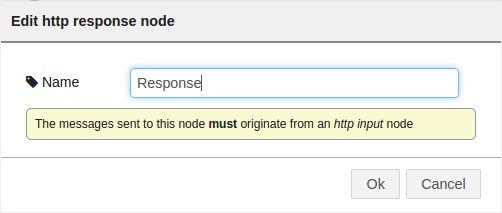
Finally, select an http response node and name if you want -:)


In the end...you should end up with something like this -;)


We’re done -:) And BTW…if you don’t feel like doing anything like this…you can always copy this code and import it back to Node-RED…

Node_RED_HANA.json
[{"id":"4ae9ba82.b51644","type":"http in","name":"","url":"/hana","method":"get",
"x":155,"y":91,"z":"3c0f3fe4.c3f0c","wires":[["ded8853e.212778"]]},{"id":"ded8853e.212778",
"type":"http request","name":"HANA","method":"GET","ret":"obj",
"url":"http://54.65.196.224:8000/Flights/flights.xsodata/FLIGHTS?$format=json",
"x":329,"y":102,"z":"3c0f3fe4.c3f0c","wires":[["c177bd31.3e884"]]},{"id":"c177bd31.3e884",
"type":"function","name":"GetInfo","func":"var results = msg.payload.d.results;
\n//var message = [];\nvar message = \"\";\nfor (i=0;i<results.length;i++){\n    
var carrname = results[i].CARRNAME;\n    var price = results[i].PRICE;\n    
//message[i] = carrname + ' : ' + price + \"\\n\"\n    message += carrname + ' : ' + 
price + \"\\n\";\n}\n\nmsg.payload = message;\nreturn msg;","outputs":1,"valid":true,
"x":507,"y":179,"z":"3c0f3fe4.c3f0c","wires":[["c59088cb.3a6f78"]]},{"id":"1995c536.e66a3b",
"type":"http response","name":"Response","x":653,"y":359,"z":"3c0f3fe4.c3f0c","wires":[]},
{"id":"c59088cb.3a6f78","type":"template","name":"Template","field":"payload",
"format":"handlebars","template":"{{payload}}","x":487,"y":321,"z":"3c0f3fe4.c3f0c",
"wires":[["1995c536.e66a3b"]]}]


To run it…simply select “Deploy” and head to http://localhost:1880/hana


Awesomely easy, huh? -:)

Greetings,

Blag.
Development Culture.

lunes, 5 de octubre de 2015

Even kids can play with SAP HANA

This post was originally posted on Even kids can play with SAP HANA.


Small Basic is a programming language created by Microsoft and based on the BASIC language. It’s aimed to teach kids how to code as it comes with Syntax Highlighting, Intelligent Code Completion and In-Editor documentation access. On top of that…the language has only 14 keywords.


Small Basic comes with a nice and very simple IDE…


And the Code Completion is just wonderful and nicely documented.

In order to access SAP HANA via ODBC we need to download the awesome library called LitDev.

Just extract it and copy the DLL’s and XML’s into a folder called “lib” inside your Small Basic installation. If you have any problems, simply right click the LitDev.dll file and unlock it.

Well…no example or demonstration would be complete if we didn’t hook it up with SAP HANA, right? So…let’s go and do it -;) (This part is not exactly kid friendly…so look for the help of an adult)…

First, we need to create a Calculation View and call it “FLIGHTS_BY_CARRIER”. It will be composed of two tables, SCARR and SFLIGHT.

First, we need to create a Join object and link the table by MANDT and CARRID. From here select the following fields as output MANDT, CARRID, CARRNAME, PRICE and CURRENCY.

Then create an Aggregation object selecting the fields CARRNAME, PRICE (As Aggregated Column) and CURRENCY. Filter the CURRENCY field by ‘USD’.

Then create a Projection object and select only PRICE and CARRNAME.

On the Semantics object make sure to select “CROSS CLIENT” as the Default Client.


The SAP HANA part is done…so we can move into the Small Basic part…

Now, simply create a new file and paste the following code…

HANA.sb
LDDataBase.Connection="DRIVER={HDBODBC};SERVERNODE=YourServer:30015;
DATABASE=SYSTEM;UID=YouUser;PWD=YourPassword"
Db = LDDataBase.ConnectOdbc("","","","","",0,"")
GraphicsWindow.Show()
Lv = LDDataBase.AddListView(GraphicsWindow.Width,GraphicsWindow.Height)
Quote = Text.GetCharacter(34)
Query = "SELECT * FROM" + Quote + "_SYS_BIC" + Quote + "." + Quote + "Blag/FLIGHTS_BY_CARRIER" + Quote
LDDataBase.Query(Db,Query, Lv, "False")

Replace Blag with your own package name -:)

Easy, huh?


There you go…now even kids can leverage the power of SAP HANA -;)

Greetings,

Blag.
Development Culture.

viernes, 2 de octubre de 2015

LED is my new Hello World - Ada Time

Alright...this one took me a long time...but finally compiled and worked -:)

led_numbers.adb
with Ada.Text_IO;
with Ada.Strings.Unbounded; use Ada.Strings.Unbounded;

procedure LED_Numbers is
 package IO renames Ada.Text_IO;
 package Number_IO is new Ada.Text_IO.Integer_IO (Integer);
 type Array_Row is array (1 .. 3) of Unbounded_String;
 type Array_Of_Array_Type is array (1 .. 10) of Array_Row;
 Array_Of_Arrays : Array_Of_Array_Type;
 s1 : Unbounded_String;
 s2 : Character;
 line1 : Unbounded_String;
 line2 : Unbounded_String;
 line3 : Unbounded_String;
 num : Integer;
 len : Natural;
begin 
 Array_Of_Arrays (1) (1) := s1 & " _  ";Array_Of_Arrays (1) (2) := S1 & "| | ";
        Array_Of_Arrays (1) (3) := S1 & "|_| ";Array_Of_Arrays (2) (1) := s1 & "  ";
        Array_Of_Arrays (2) (2) := S1 & "| ";Array_Of_Arrays (2) (3) := S1 & "| ";
 Array_Of_Arrays (3) (1) := s1 & " _  ";Array_Of_Arrays (3) (2) := S1 & " _| ";
        Array_Of_Arrays (3) (3) := S1 & "|_  ";Array_Of_Arrays (4) (1) := s1 & "_  ";
        Array_Of_Arrays (4) (2) := S1 & "_| ";Array_Of_Arrays (4) (3) := S1 & "_| ";
 Array_Of_Arrays (5) (1) := s1 & "    ";Array_Of_Arrays (5) (2) := S1 & "|_| ";
        Array_Of_Arrays (5) (3) := S1 & "  | ";Array_Of_Arrays (6) (1) := s1 & " _  ";
        Array_Of_Arrays (6) (2) := S1 & "|_  ";Array_Of_Arrays (6) (3) := S1 & " _| ";
 Array_Of_Arrays (7) (1) := s1 & " _  ";Array_Of_Arrays (7) (2) := S1 & "|_  ";
        Array_Of_Arrays (7) (3) := S1 & "|_| ";Array_Of_Arrays (8) (1) := s1 & "_   ";
        Array_Of_Arrays (8) (2) := S1 & " |  ";Array_Of_Arrays (8) (3) := S1 & " |  ";
 Array_Of_Arrays (9) (1) := s1 & " _  ";Array_Of_Arrays (9) (2) := S1 & "|_| ";
        Array_Of_Arrays (9) (3) := S1 & "|_| ";Array_Of_Arrays (10) (1) := s1 & " _  ";
        Array_Of_Arrays (10) (2) := S1 & "|_| ";Array_Of_Arrays (10) (3) := S1 & " _| ";
 IO.Put("Enter a number: ");
 Number_IO.Get(num);
 s1 := s1 & Integer'Image(num);
 len := Length(s1);
 for i in Integer range 2..len loop
  s2 := Element(s1,i);
  num := Character'Pos(s2) - 48;
  if num < 10 then
   num := num + 1;
  end if;
  line1 := line1 & Array_Of_Arrays (num) (1);
  line2 := line2 & Array_Of_Arrays (num) (2);
  line3 := line3 & Array_Of_Arrays (num) (3);
 end loop;
 IO.Put(To_String(line1));
 IO.Put_Line("");
 IO.Put(To_String(line2));
 IO.Put_Line("");
 IO.Put(To_String(line3));
end LED_Numbers;

Now...the screenshots...


Greetings,

Blag.
Development Culture.